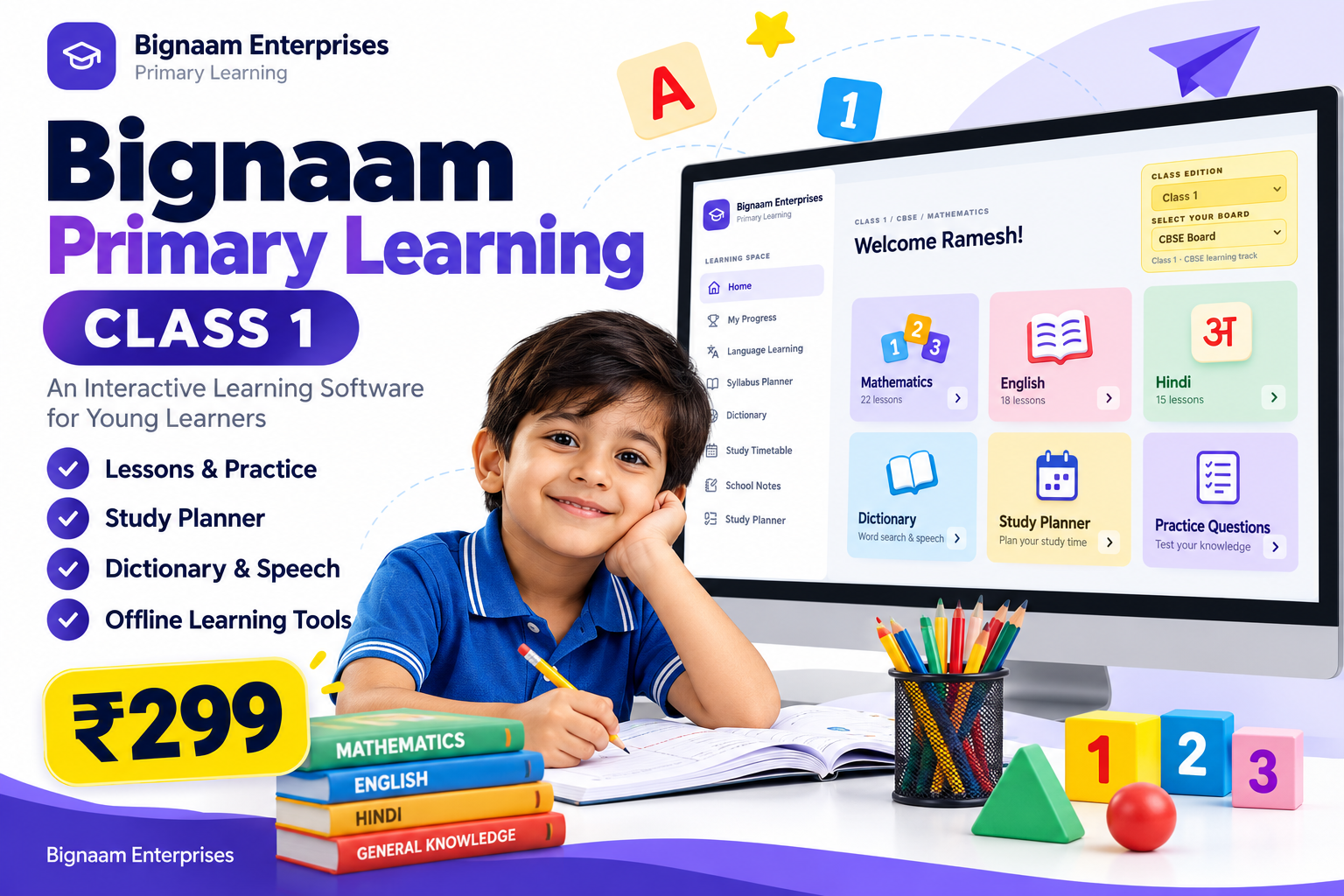
Bignaam Primary Learning – Class 1 Educational Software
A Complete Digital Learning Companion for Young Learners
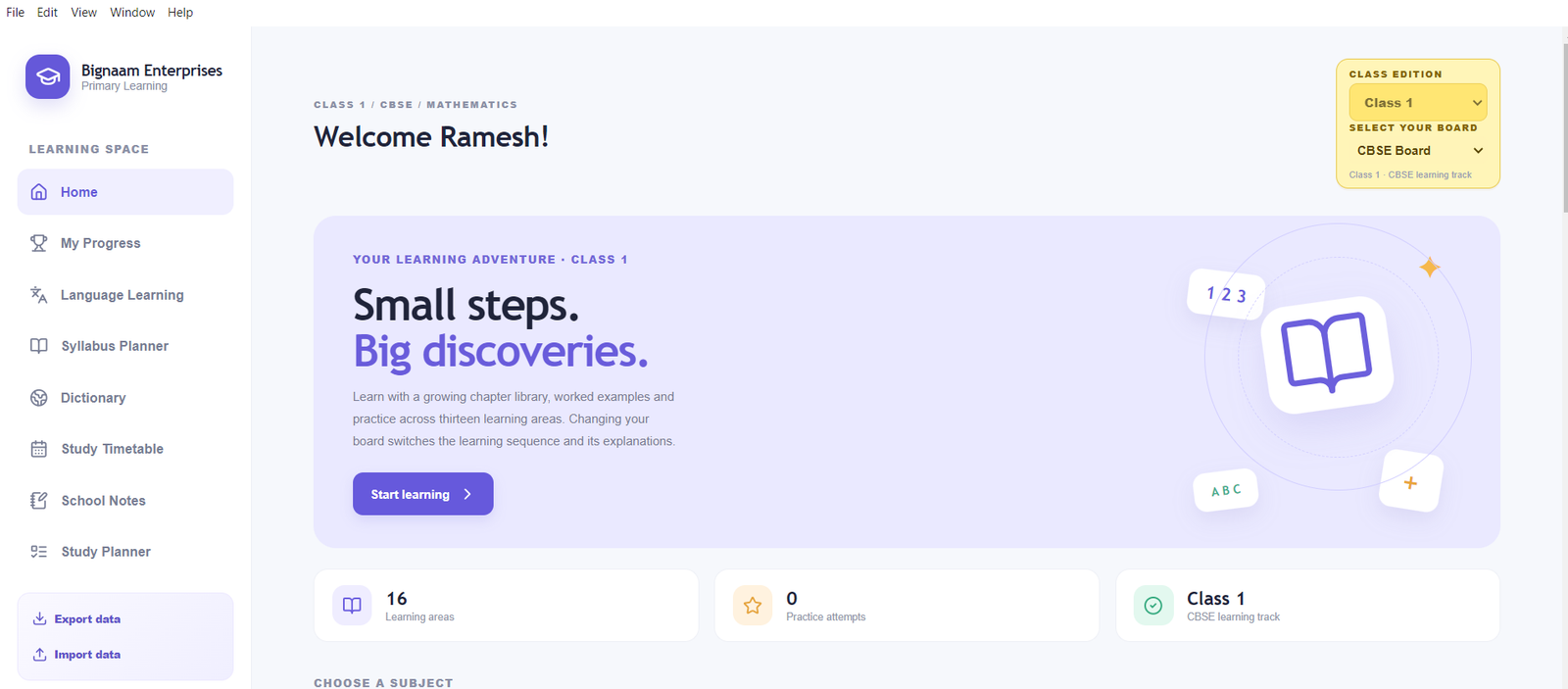
Give your child a more organised way to learn, practise, revise, and build strong academic foundations with Bignaam Primary Learning – Class 1, an educational software application developed by Bignaam Enterprises.
Designed for early primary learning, this software brings learning resources, practice activities, vocabulary tools, study organisation, and revision support together in one place. Parents can use it to support home learning, while children can revisit concepts and practise at their own pace.
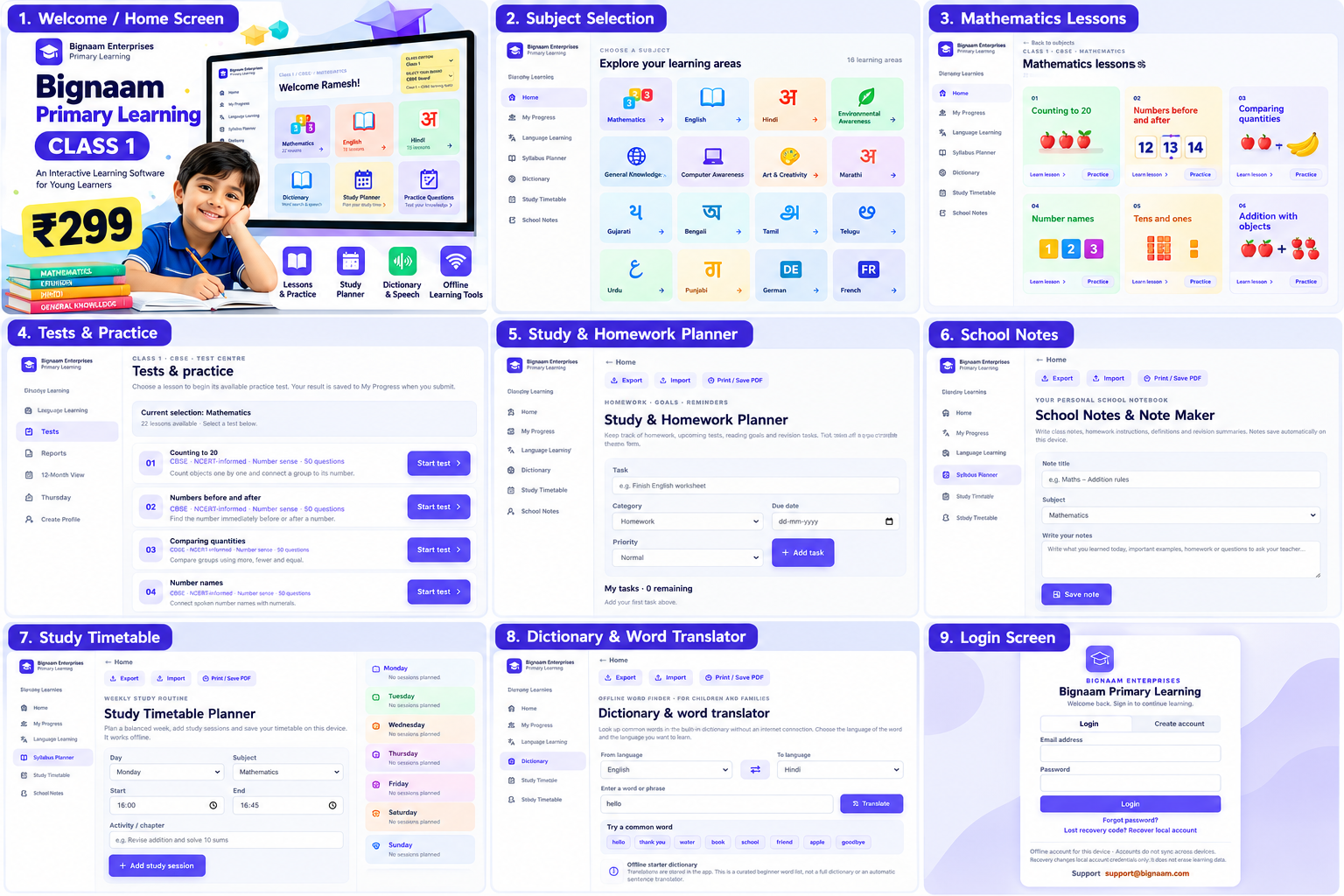
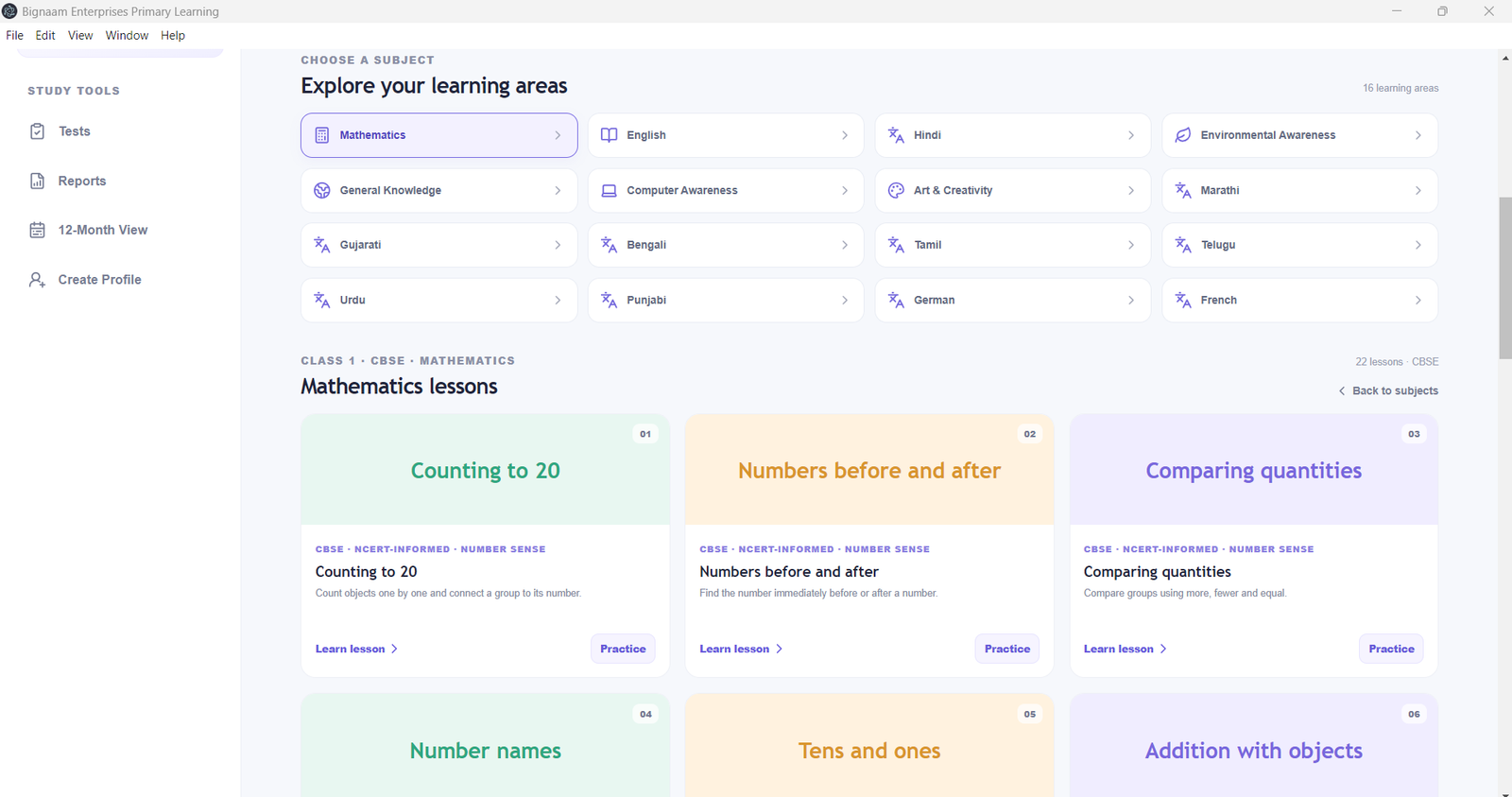
1. Class 1 Learning Resources
Explore age-appropriate learning material intended to help children develop foundational skills.
- Subject-based learning resources
- Lesson and topic navigation
- Definitions and important terms where available
- Simple explanations of learning concepts
- Examples and everyday applications where available
- Lesson summaries and revision support
- Vocabulary and spelling practice
- Additional learning activities to reinforce classroom study
The aim is to help children understand concepts instead of relying only on memorisation.
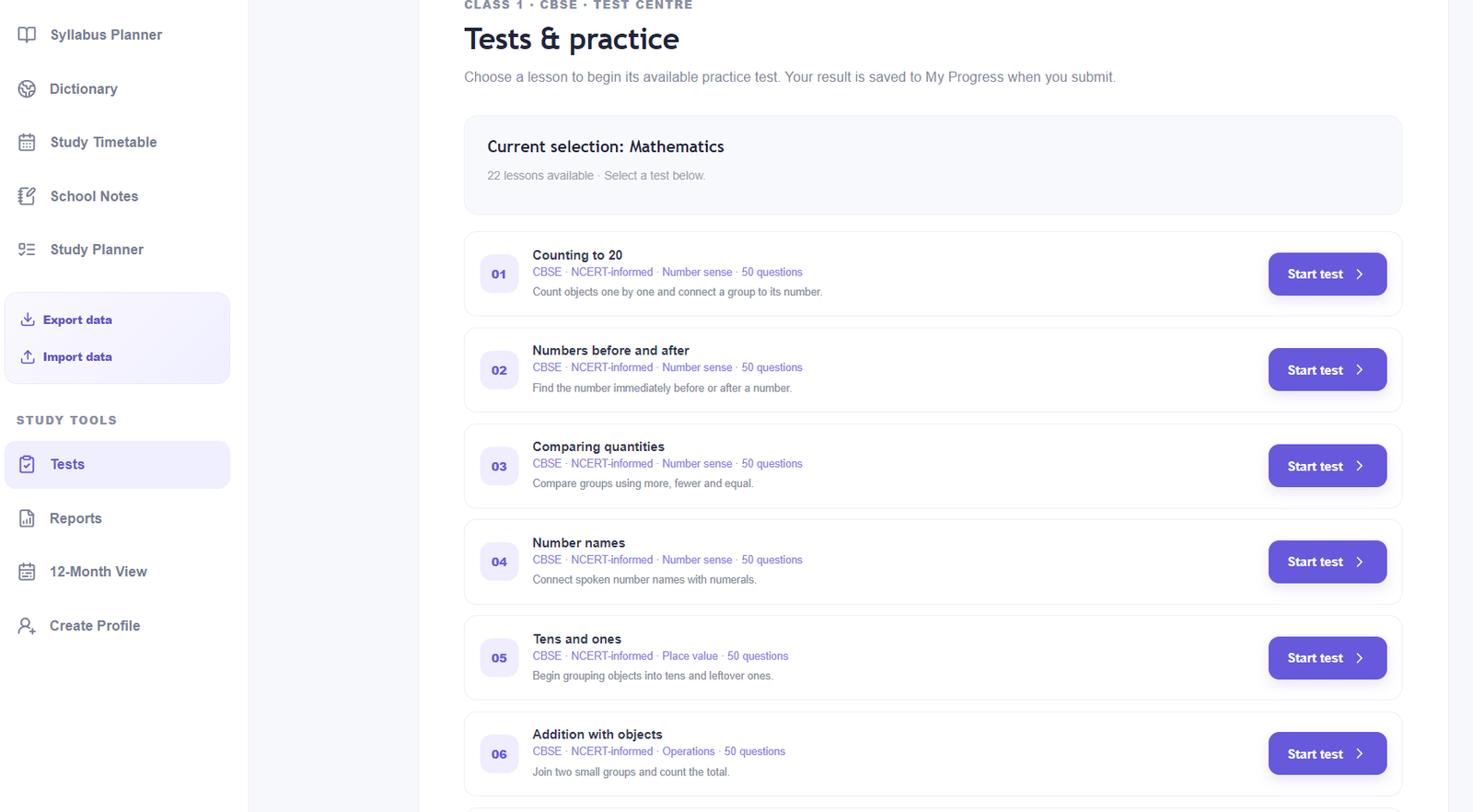
2. Practice Questions and Assessment
Give children opportunities to practise what they learn and identify topics that need more attention.
- Practice questions linked to available lessons
- Multiple-choice questions where provided
- Short-answer practice
- Knowledge checks and revision exercises
- Answer review and explanations where available
- Topic assessment tools where implemented
- Opportunities to repeat practice and strengthen understanding
Question availability and syllabus coverage depend on the content included in the installed version. Please review the supplied content before purchase.
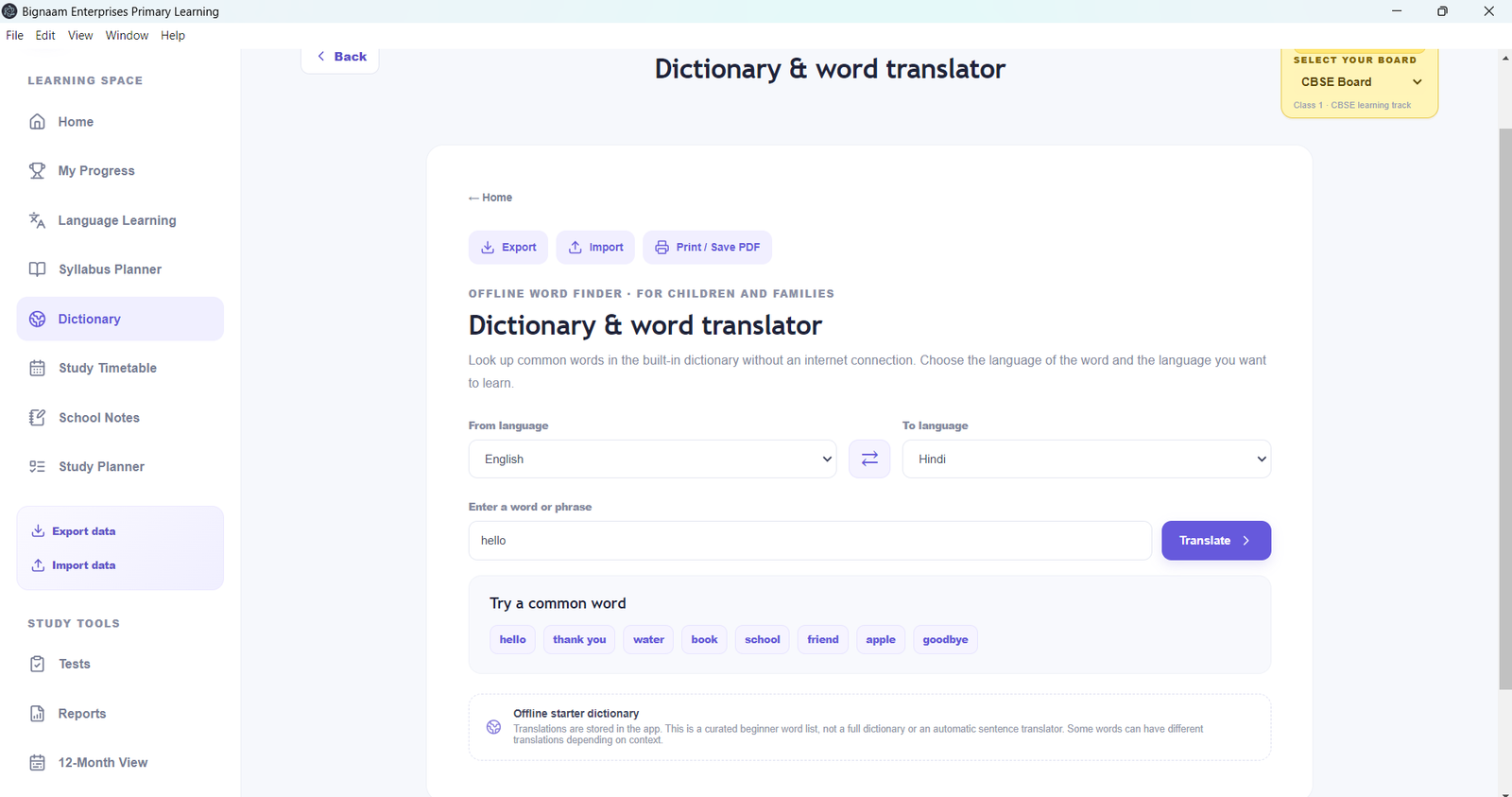
3. Multilingual Dictionary and Vocabulary Learning
Help children explore words and develop vocabulary across supported languages.
Dictionary tools are designed to support:
- Word search
- Translations between supported languages
- Word meanings and example sentences where supplied
- Vocabulary building
- Personal dictionary entries
- Importing and exporting dictionary data in supported formats
- Offline access to locally available dictionary entries
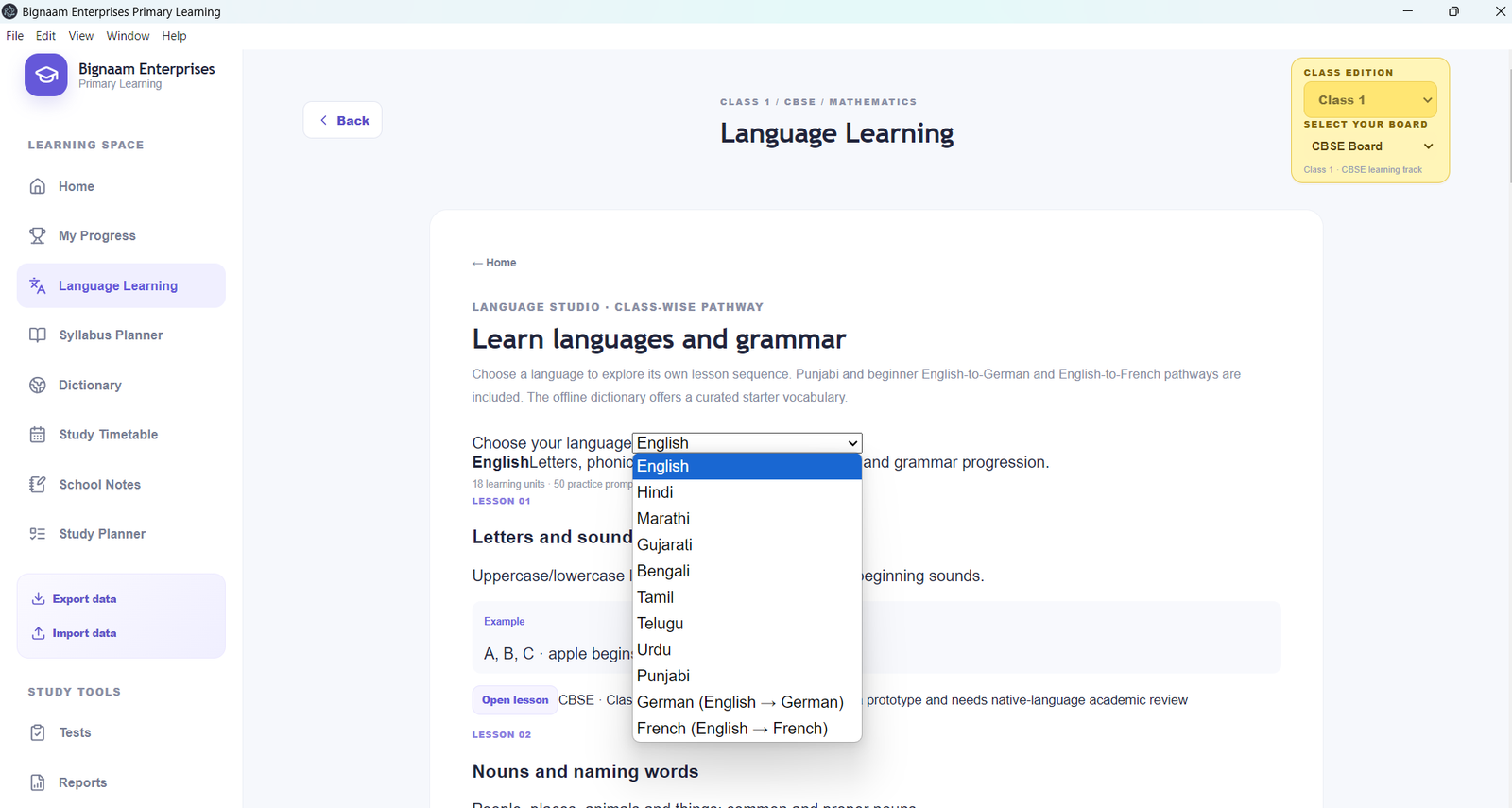
The application includes language options such as English, Hindi, Marathi, Gujarati, Bengali, Tamil, Telugu, Urdu, Punjabi, German, and French.
The number of verified entries varies by language. The current built-in dictionary is a starter collection, not a complete dictionary containing 500 or more verified words per language.
4. Listen to Words with Speech Support
Support pronunciation practice with available device speech voices.
- Listen to supported words
- Hear translations where speech controls are available
- Practise pronunciation and word recognition
- Use installed speech voices where compatible
Speech quality, pronunciation, and language availability depend on the operating system and installed voices. Internet access is not necessarily required when a compatible offline voice is available.
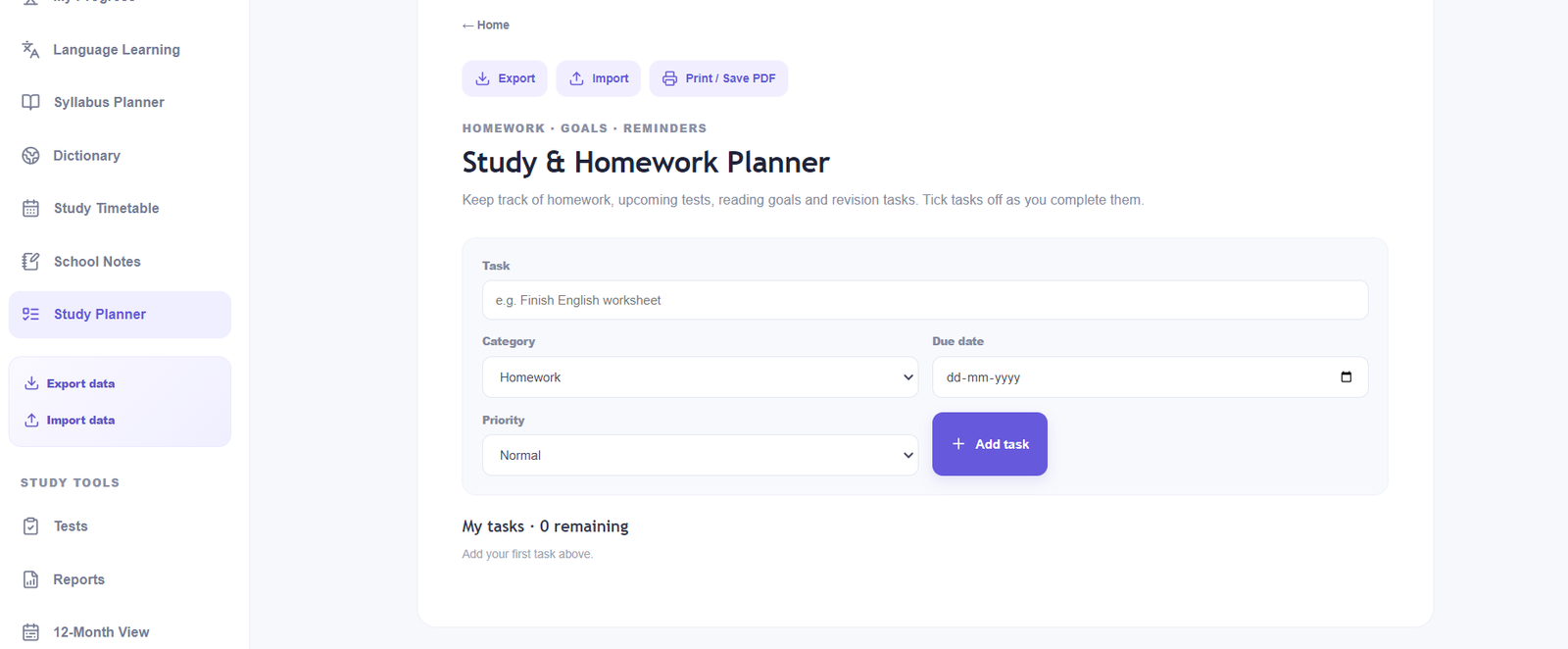
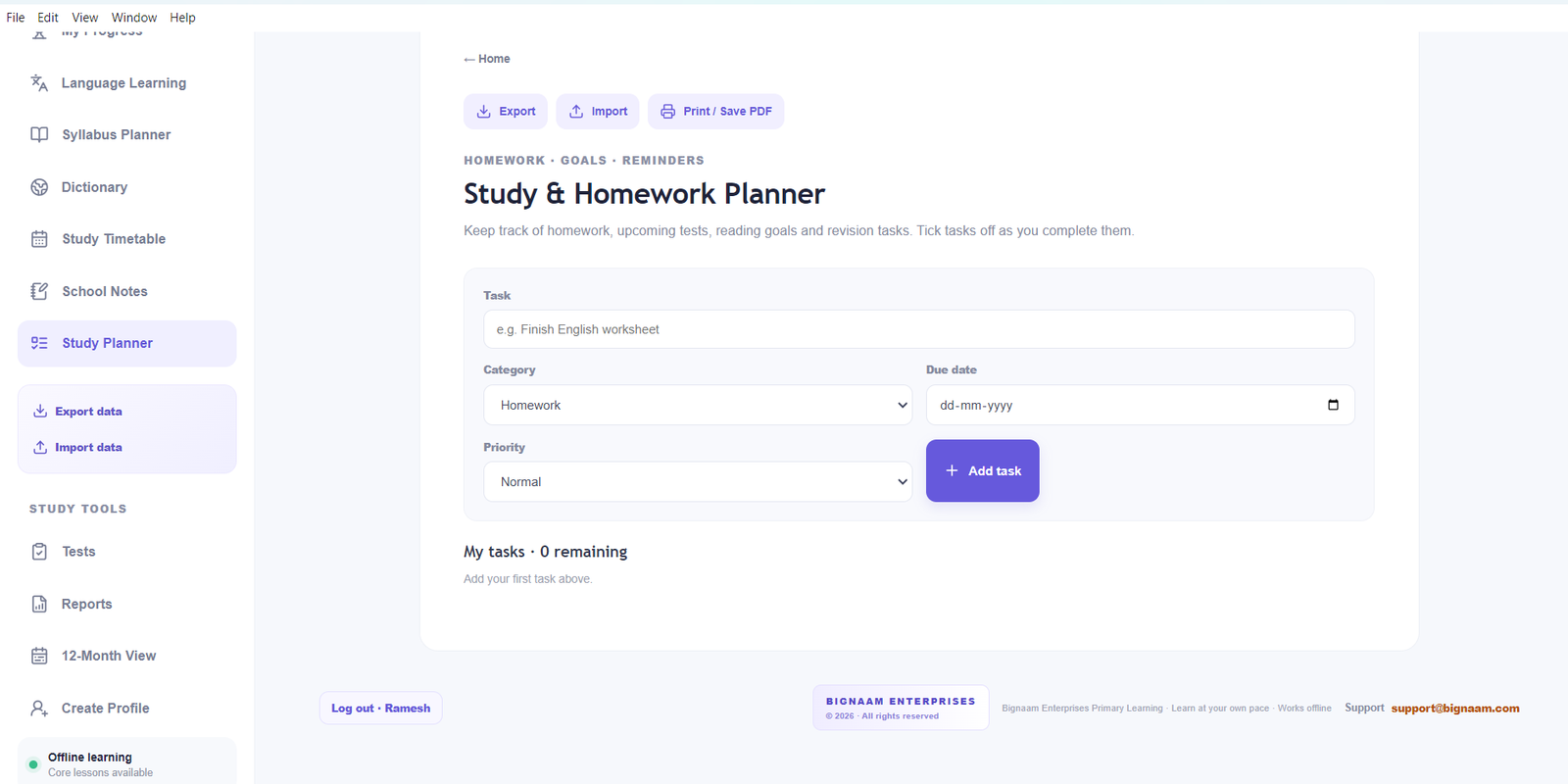
5. Study Planner and Calendar
Help children establish a regular learning routine with study organisation tools.
- Organise learning activities
- Plan study sessions
- Review upcoming study tasks
- Use calendar-based planning where available
- Keep study information organised
- Support consistent daily and weekly study habits
The planner is intended to help families structure study time alongside schoolwork and other activities.
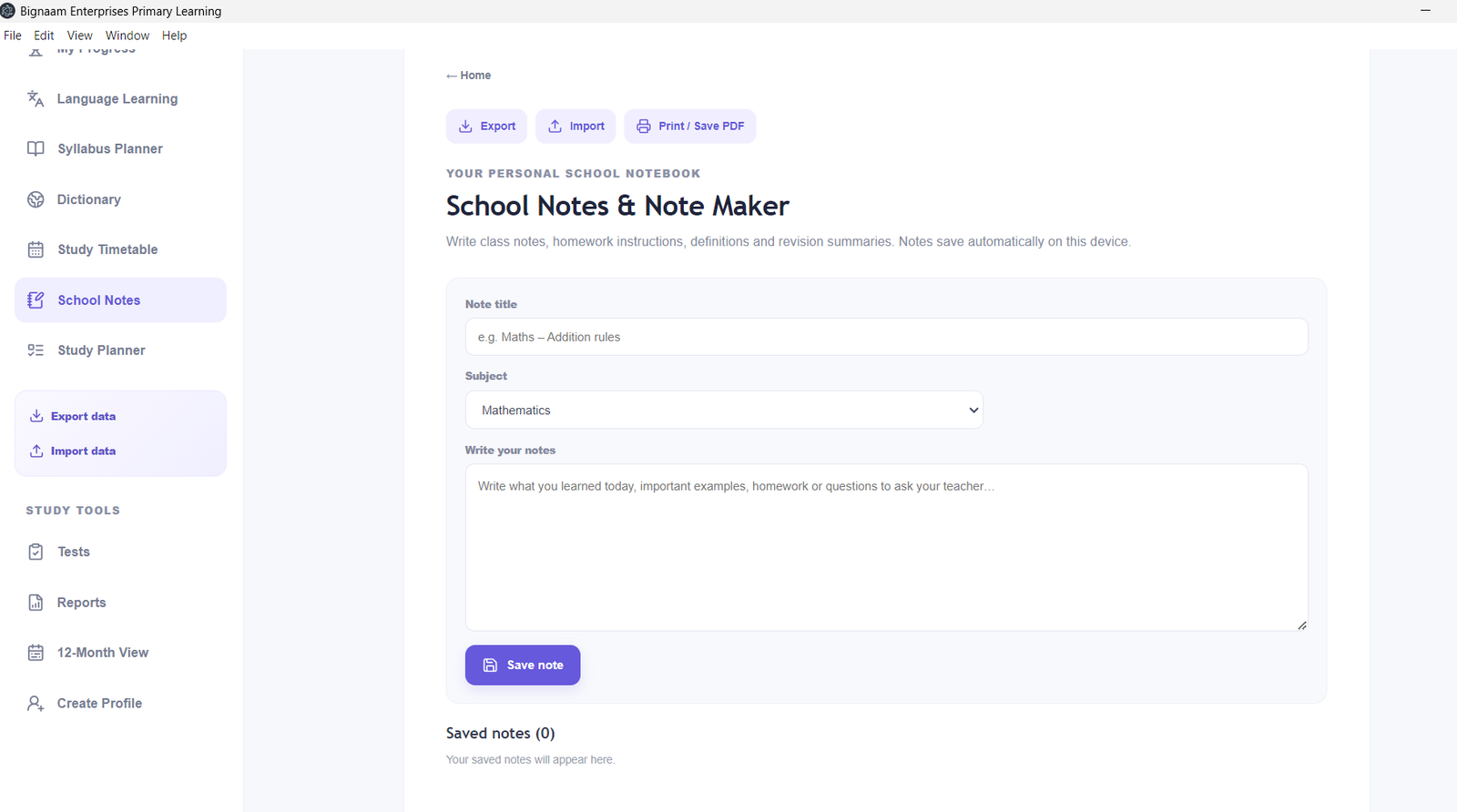
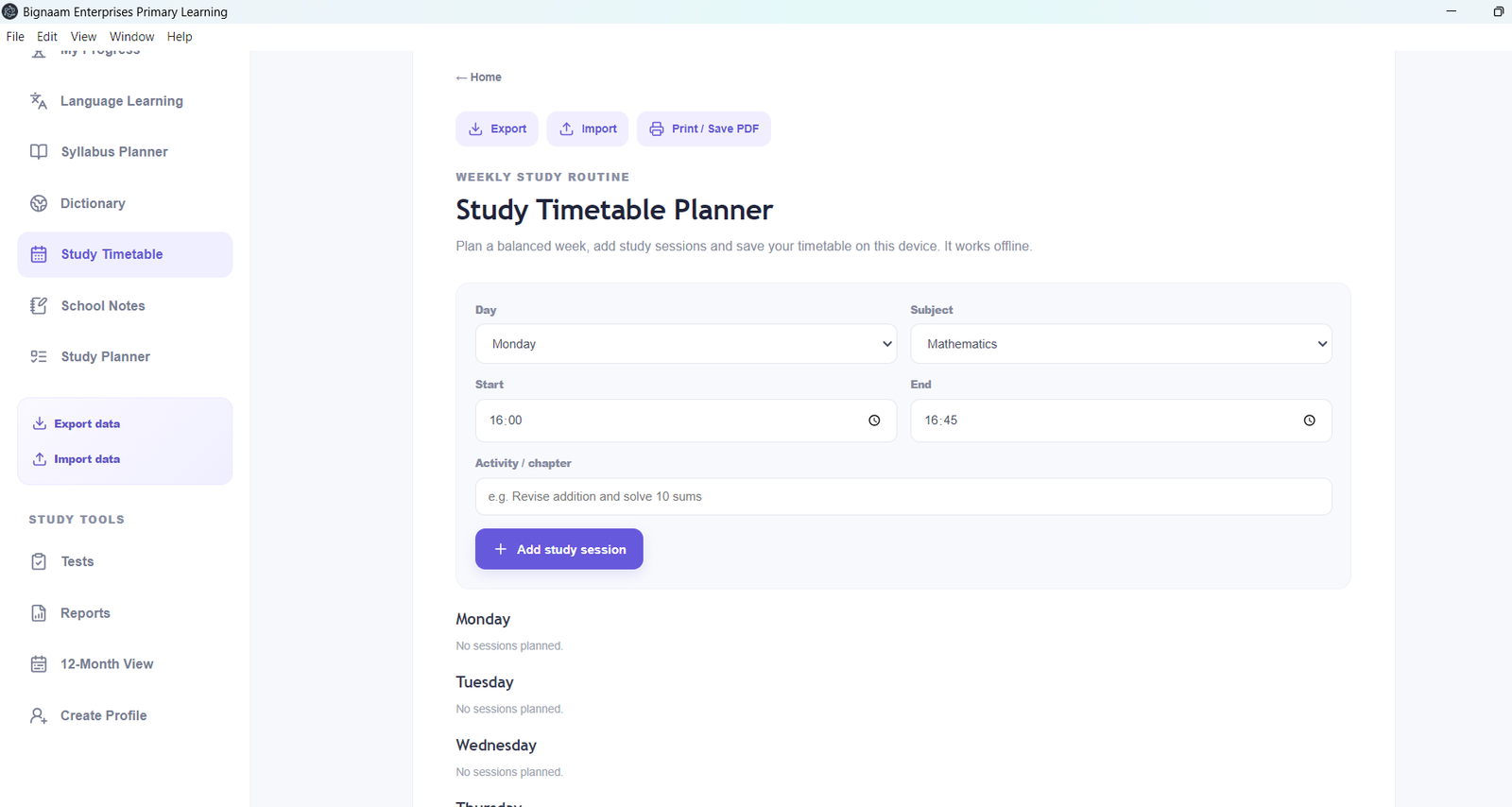
6. Timetable, Notes, and Learning Organisation
Keep important study information together in one application.
- Study timetable and schedule organisation
- Personal study notes
- Learning task organisation
- Revision planning
- Student learning information
- Quick access to supported study tools
Feature availability depends on the application version and the modules included in the product package.
7. Progress and Revision Support
Encourage children to review their learning and build confidence through regular practice.
- Organise learning activities
- Revisit available lessons
- Review practice results where supported
- Identify topics that may need more practice
- Support regular revision routines
- Keep relevant learning information organised
Progress features should be used as a learning aid alongside feedback from parents and teachers.
8. Import and Export Tools
Supported data tools help users manage their own learning information.
- Export supported dictionary entries
- Import supported dictionary files
- Work with JSON and CSV dictionary formats where supported
- Add personal vocabulary entries
- Keep personal learning data organised
Import and export support applies to supported file formats and data types. Users should retain a backup of important files.
9. Offline Learning Support
Bignaam Primary Learning is designed to support offline use of locally available resources.
After installation, supported lessons, stored dictionary entries, and local study information can be used without a continuous internet connection.
Some features may depend on operating-system services, installed speech voices, or other device capabilities.
10. Designed for Home Learning
This software can be useful for:
- Parents supporting Class 1 learning at home
- Children who need extra practice
- Families building daily study routines
- Learners revising concepts after school
- Parents who want study tools in one application
The software is intended to supplement classroom teaching and does not replace the prescribed school curriculum, textbooks, or teacher guidance.
11. Product Information
Product Name: Bignaam Primary Learning – Class 1
Brand: Bignaam Enterprises
Product Type: Educational software
Format: Downloadable software source package
Intended Users: Class 1 students and their parents
Internet Requirement: Offline use supported for locally available content and compatible features
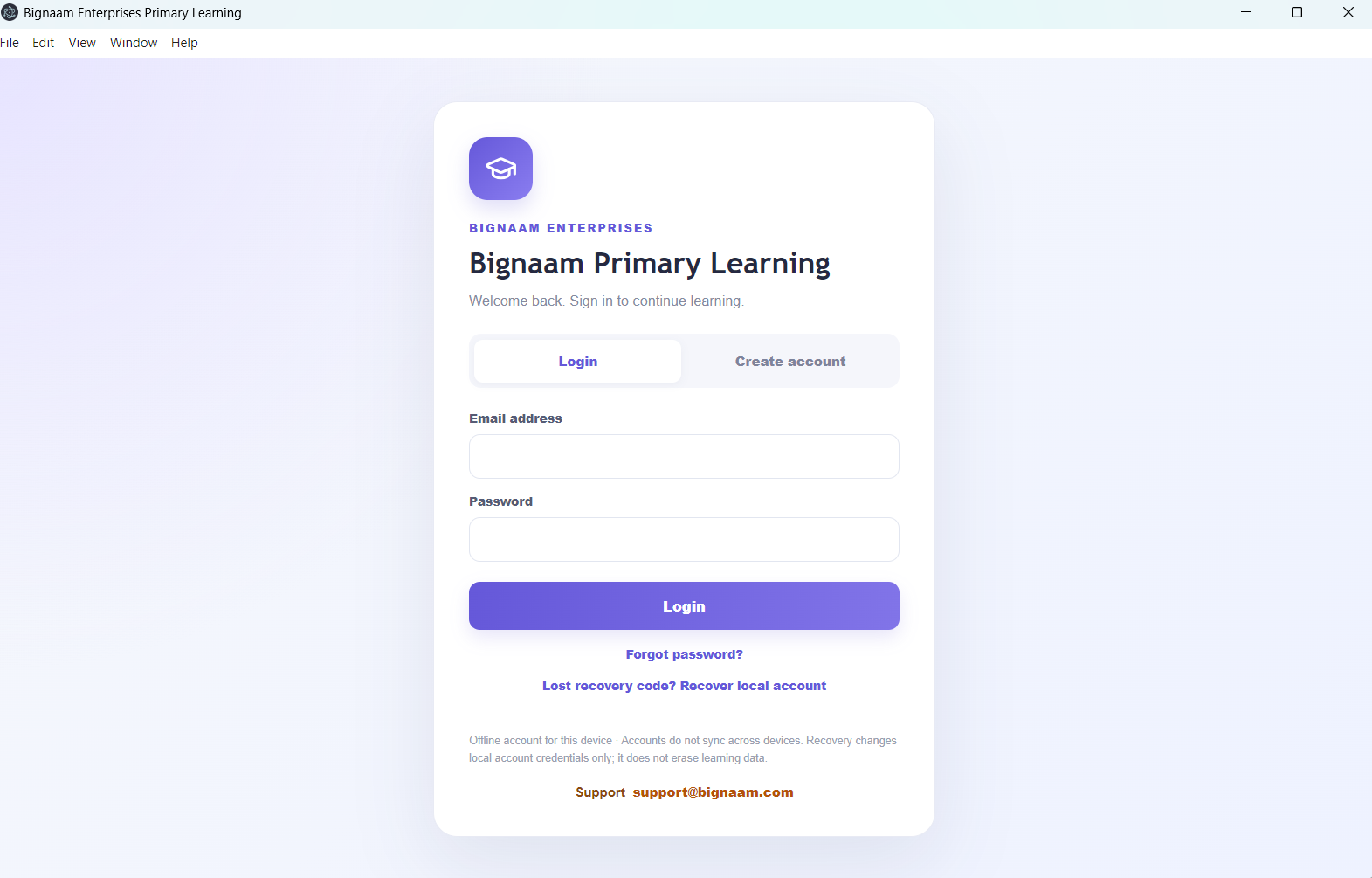
Customer Support: support@bignaam.com
12. Important Purchase Information
Please note the following before purchasing:
- This listing describes educational software, not a physical book or printed textbook.
- The supplied package is a software source ZIP; it is not the same as a tested, ready-to-install Windows application.
- The complete production build and installer have not yet been verified.
- The precise syllabus coverage and quantity of questions vary by the content included in the package.
- The built-in dictionary is not yet a complete, fully verified dictionary across all supported languages.
- Device compatibility and speech functionality should be checked before use.
Build Better Learning Habits with Bignaam
Bignaam Primary Learning aims to bring lessons, practice, vocabulary, revision, and study organisation into one accessible digital learning environment.
Help your child begin building strong study habits with Bignaam Primary Learning – Class 1, from Bignaam Enterprises.
Support: support@bignaam.com




Reviews
There are no reviews yet.